
34 languages and local settings by country
OptiRoutes is available in 34 languages: the web system, its built-in guides and its e-mails, and the driver app. Hebrew and Arabic display right to left. When you enter your business address, its country sets the company language, currency, units, the way numbers, dates and times are written, and the first day of the week.
Updated:
Which languages does OptiRoutes support?
The same 34 languages are available in the web system and in the driver app. A planner in Madrid, a dispatcher in Warsaw and a driver who prefers Arabic can all work on the same routes, each in their own language.
| Language | Native name | Locale |
|---|---|---|
| English | English | en-US |
| Hebrew | Ivrit | he-IL |
| Arabic | العربية | ar-IL |
| Russian | Русский | ru-RU |
| Spanish | Español | es-ES |
| Italian | Italiano | it-IT |
| Czech | Čeština | cs-CZ |
| Romanian | Română | ro-RO |
| Greek | Ελληνικά | el-GR |
| German | Deutsch | de-DE |
| French | Français | fr-FR |
| Portuguese | Português | pt-BR |
| Japanese | 日本語 | ja-JP |
| Korean | 한국어 | ko-KR |
| Chinese (Simplified) | 中文 | zh-CN |
| Dutch | Nederlands | nl-NL |
| Polish | Polski | pl-PL |
| Turkish | Türkçe | tr-TR |
| Swedish | Svenska | sv-SE |
| Danish | Dansk | da-DK |
| Norwegian | Norsk | nb-NO |
| Finnish | Suomi | fi-FI |
| Hungarian | Magyar | hu-HU |
| Slovak | Slovenčina | sk-SK |
| Croatian | Hrvatski | hr-HR |
| Bulgarian | Български | bg-BG |
| Ukrainian | Українська | uk-UA |
| Indonesian | Bahasa Indonesia | id-ID |
| Malay | Bahasa Melayu | ms-MY |
| Thai | ไทย | th-TH |
| Vietnamese | Tiếng Việt | vi-VN |
| Hindi | हिन्दी | hi-IN |
| Lithuanian | Lietuvių | lt-LT |
| Slovenian | Slovenščina | sl-SI |
What exactly is translated?
- The web system — every screen, message and setting.
- The built-in guides — the user guide beside every screen, the tips and the getting-started wizard.
- E-mails — the messages the system sends in your company's name.
- The driver app — the whole app, opening in the phone's language when it is supported.
- The Files API guide — the integration guide for your software team, served per language.
Texts you write yourself — SMS wording, ready remarks, customer notes — stay exactly as you write them, in whatever language your customers and drivers read.
What does the country of your business set?
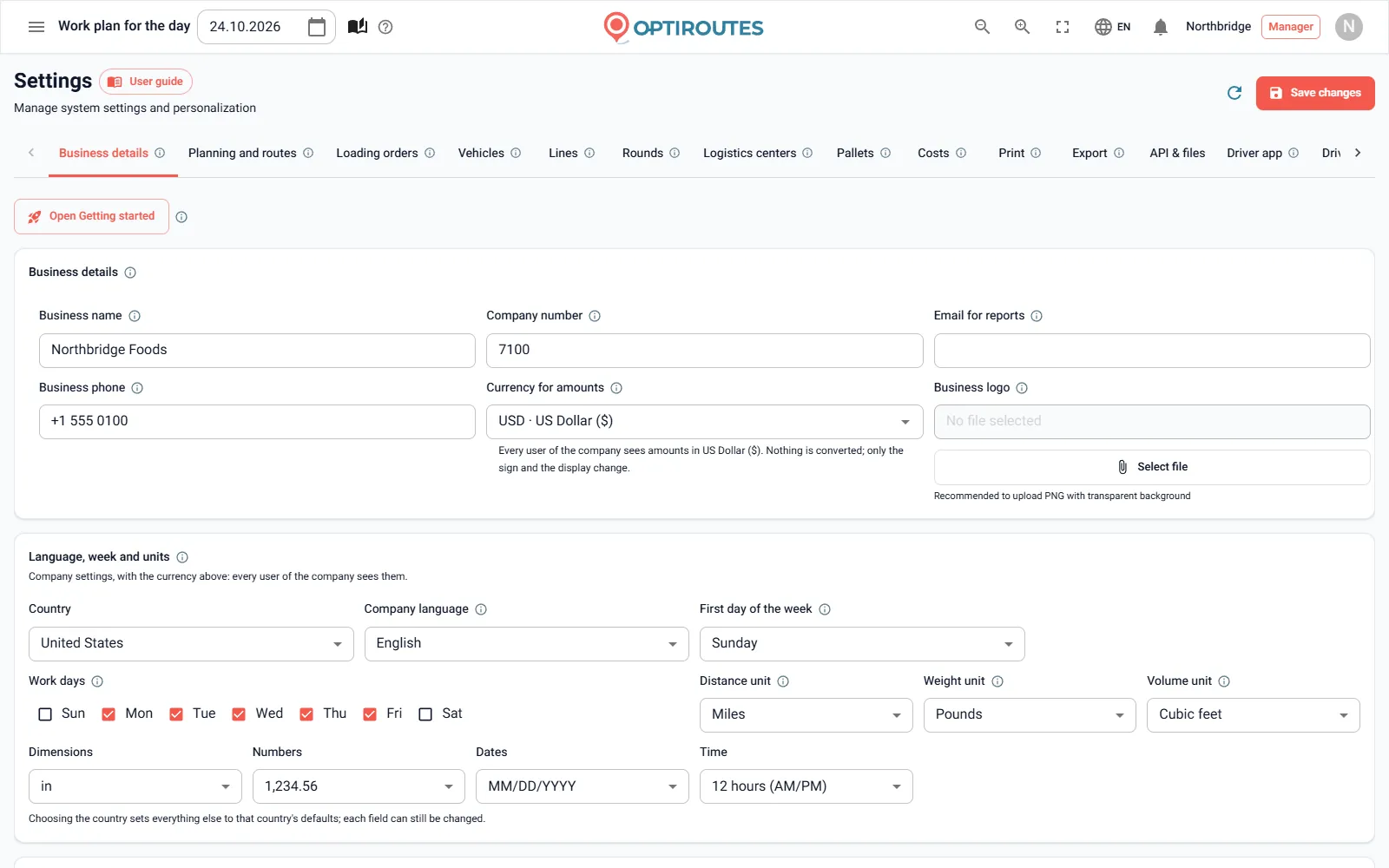
In the getting-started wizard and in Settings → Business details, picking your address from the suggestions sets the country, and the country fills in your local settings by itself. They show as a short summary, and Edit changes any of them.
| Local setting | Examples |
|---|---|
| Company language | German for a company in Germany, Thai for a company in Thailand. |
| Currency for amounts | Shown on the cash screens, reports, dashboard, orders, driver app and customer e-mails. |
| Units | Kilometres or miles, kilograms or pounds, cubic metres or cubic feet. |
| Number, date and time format | How amounts, dates and hours are written. |
| First day of the week and work days | Sunday or Monday; for example Monday to Friday. |
With no currency chosen, the default follows the country of the office address, then the browser's region, and the US dollar when nothing is recognised. International phone numbers, such as +49 30 1234567, are accepted in the business details.
How are language menus ordered?
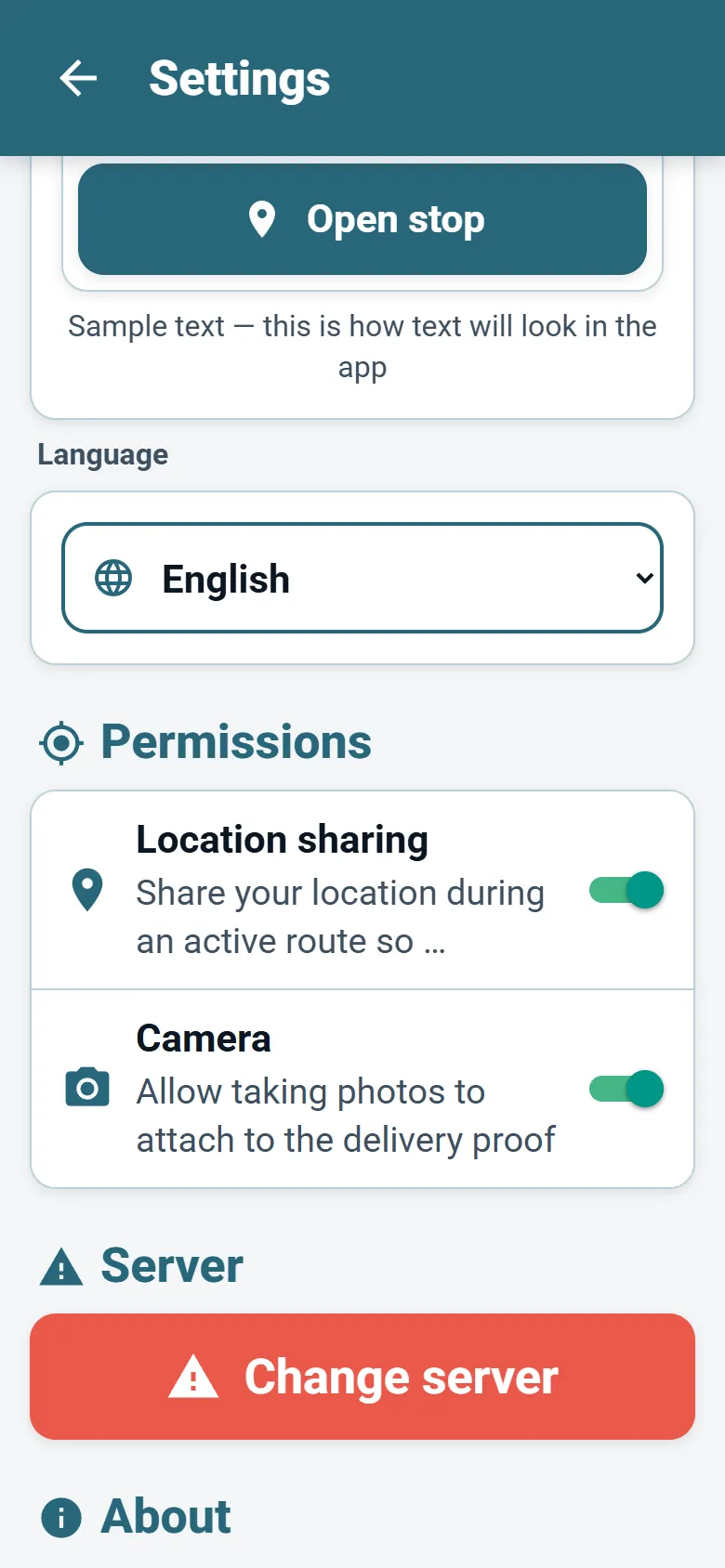
Each user picks the interface language from the language menu, and the choice is kept in that browser for next time. The menu follows the company's country: that country's own languages come first, by how many people there use them, then the rest by how widely they are spoken worldwide. A company in Canada sees English and French first; a company in Switzerland sees German, French and Italian; a company in Belgium sees Dutch, French and English. Hebrew is offered to companies in Israel. In the driver app, the language menu shows every language in its own name, puts the company's country first and flags the language detected on the phone.
Right-to-left languages
Hebrew and Arabic are right-to-left languages, and both the web system and the driver app mirror their layout for them. In the driver app, switching between a right-to-left and a left-to-right language reloads the app once so every screen turns the right way.
Working with a multilingual team
Many delivery fleets mix languages: the office works in the country's language while drivers come from several communities. In OptiRoutes the language is personal, so nobody has to compromise. The office plans in its language, each driver's app shows the same route in theirs, and the statuses, timings and reports they exchange are the same data shown in different words.
A few practical points help a mixed team. Write ready remarks and gap reasons in the language your drivers share, because drivers pick them instead of typing and they appear exactly as written. To mark cash customers, add the word for cash to the customer's name in your own language — cash, contant, nakit or 现金, for example — because OptiRoutes recognises that word in any of its languages; a “Cash & Carry” store does not count. And word customer SMS messages in the language your customers read: the system fills in each customer's time, date and range, whatever the language.
The first day of the week you choose also sets how a “week” is counted on the driver performance screen and for weekly bonuses: Sunday by default for a Hebrew-speaking company, Monday otherwise.
Sign up in your own language — the free trial takes the language and local settings from your business address.
3-day free trial · up to 50 addresses a day · no credit card
Frequently asked questions
How many languages does OptiRoutes support?
34 languages, in the web system and in the driver app, including right-to-left Hebrew and Arabic.
Can drivers use a different language from the office?
Yes. Each user picks their own language. The driver app opens in the phone's language when it is supported, and the driver can change it from the menu.
Does switching to miles convert my distances?
No. Units and currency are labels only; nothing saved is converted. Choose the units your data really uses.
Is the currency the same for every user?
Yes. The currency is a company setting, so every user and the driver app show amounts in it.
Can I change the settings the country filled in?
Yes. Press Edit in the local settings summary, or change them later in Settings, Business details.
Start free trial — 3 days, no card
3-day free trial · up to 50 addresses a day · no credit card