
Multi-stop route planner apps for delivery drivers
A good multi-stop route planner app shows the driver today's stops in order, hands each stop to a navigation app, and makes reporting fast: arrived, delivered or not, a signature or photo, cash collected. Optiroutes Driver does this for drivers of businesses that plan with OptiRoutes. Here is a checklist, its answers, and three alternatives.
Updated:
Who is a multi-stop route planner app for?
There are two kinds of driver apps, and the difference matters more than any feature. The first kind is for independent drivers: you type or import your own stops, the app optimises the order, and you drive. The second kind is the driver side of a business system: the office plans the routes for the whole fleet, and each driver receives their route, reports every stop, and the office sees the results. OptiRoutes is the second kind — the Optiroutes Driver app works with an OptiRoutes business account, which any business can open by itself, including a single driver who runs their own deliveries.
What should a driver app do at every stop?
- Show the day clearly. Today's stops in order, with the customer, address, time windows and what to deliver.
- Navigate with the app the driver already uses. No retyping of addresses.
- Record arrival and the result. Arrived, delivered, not delivered — with a reason — or delivered with an exception.
- Capture proof. A signature, photos and remarks, attached to the order.
- Handle money and returns. Cash, cheques, returned goods and pallets where the business needs them.
- Allow sensible changes. Picking a starting stop, merging customers into one stop, adding an order for an existing customer — when the office allows it.
- Tell the customer. A message with the estimated arrival, sent from the app.
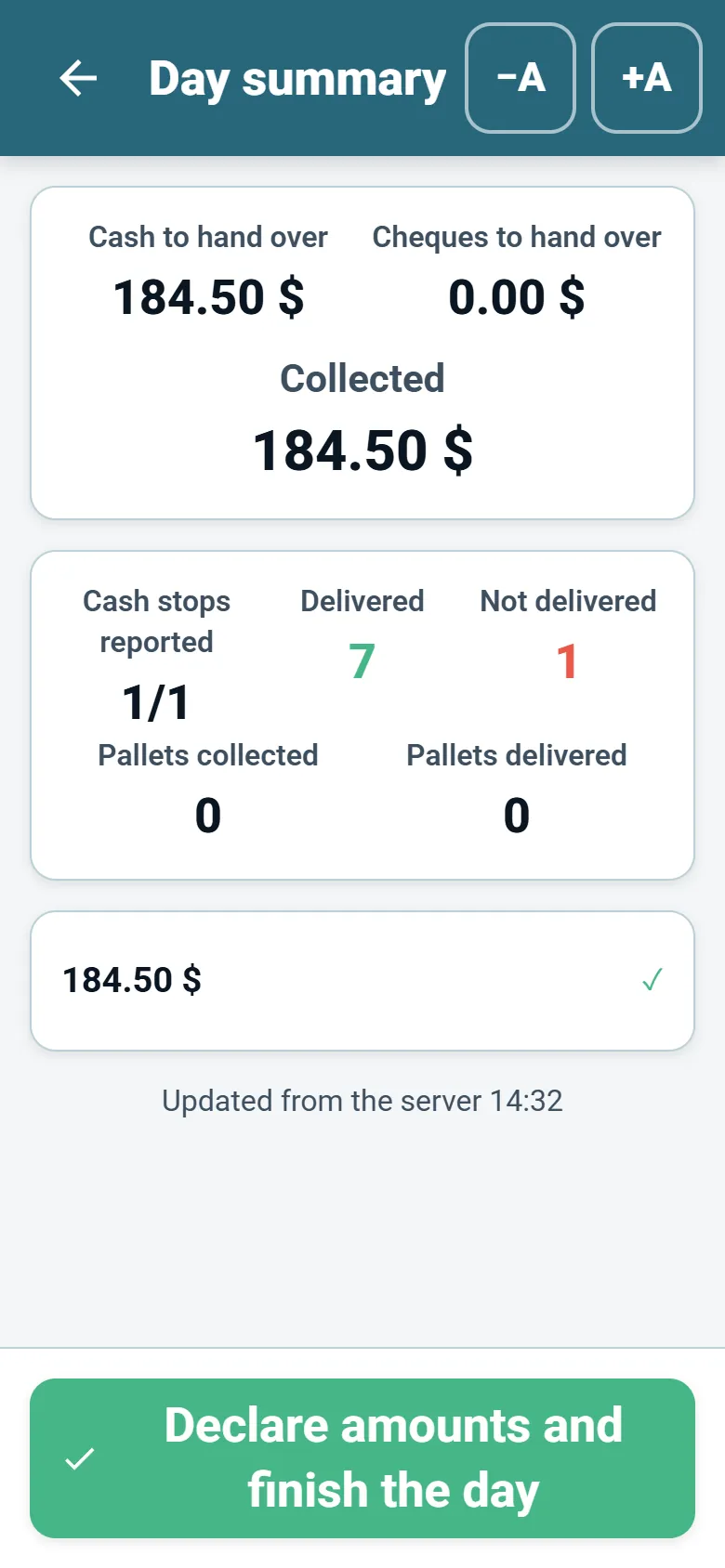
- End the day cleanly. A summary of what was done and what is still waiting to be sent.
- Be readable on the road. Large buttons and the driver's own language.
How does the Optiroutes Driver app meet each point?
| Checklist point | Optiroutes Driver |
|---|---|
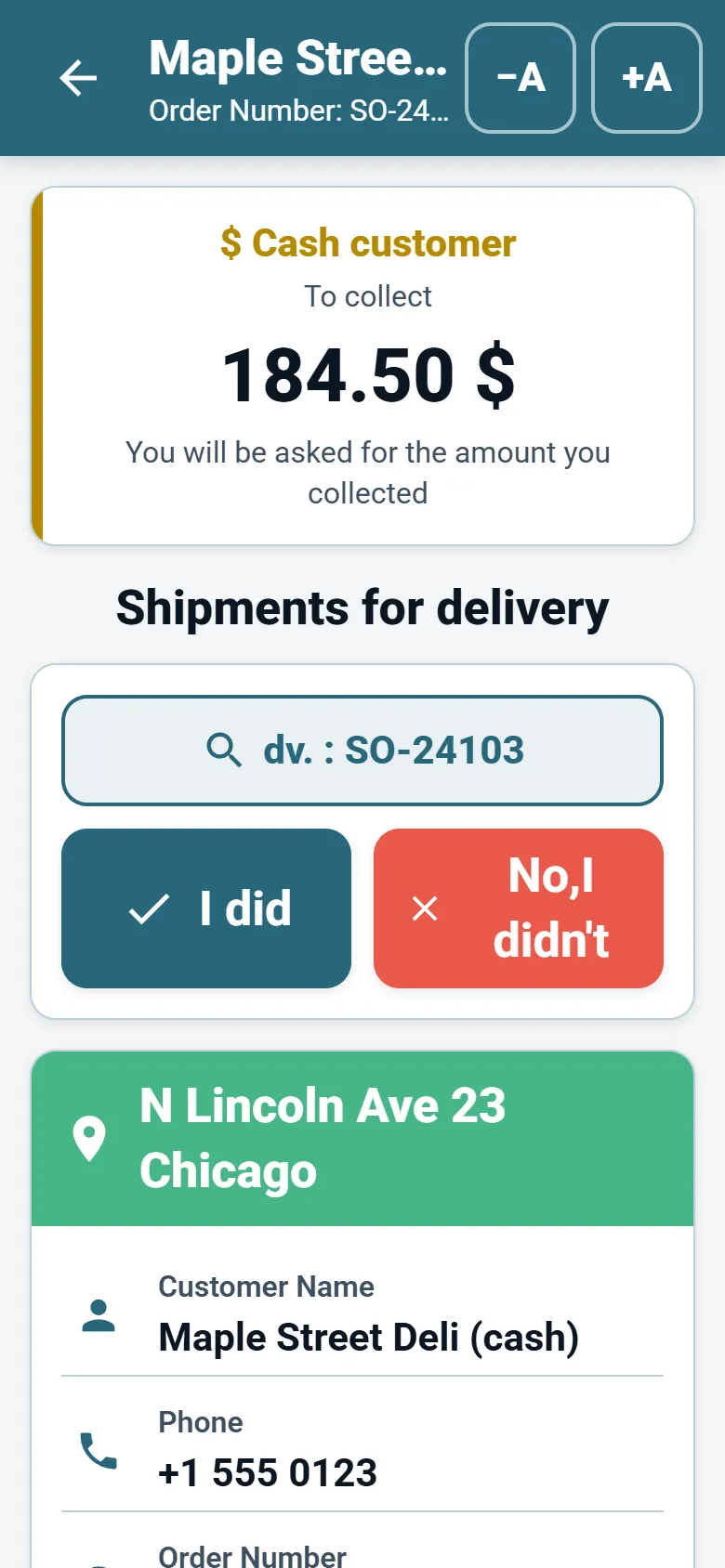
| The day | Today’s route and stops in order; amount, order number and invoice number per stop; a currency mark beside cash customers. |
| Navigation | Each stop opens in Waze, or Apple Maps on iPhone; with navigate by coordinates the exact map point is sent instead of the address text. |
| Arrival and result | An Arrived button records the arrival time; V and X buttons mark a stop delivered or not delivered; a reason can be required for a non-delivery. |
| Proof | Photo and signature proof; with the digital signature on, the customer signs the delivery note with up to three photos, remarks and returns. |
| Money and returns | Cash and cheques recorded per customer with a reason for any gap; pallets collected and delivered; returns on the signed note. |
| Changes | When the office allows it: pick a starting stop, merge customers into one stop, reorder the route, add an order for an existing customer. |
| Customer message | An SMS with the estimated arrival, sent by the driver from the app. |
| End of day | An end-of-day summary and a declaration of the cash and cheques brought back. |
| Readability | A large-button display mode that is easy with gloves, or a denser mode; the app follows the device language. |
Which alternatives should drivers consider?
If you are an independent driver who plans your own stops, an app built for individuals may suit you better. Three alternatives, described from their own websites as checked on 24 October 2026:
Spoke Route Planner
Spoke Route Planner (the former getcircuit.com address now leads to spoke.com) is described as designed for individual delivery drivers: upload stops, optimise the route and navigate. Its site says the built-in navigation is powered by Google Maps, with a switch to Apple Maps, Waze, HERE WeGo or Sygic Maps. Its pricing lists a free plan with up to 10 stops per route, and Lite ($9.99 a month) and Standard ($19.99 a month) plans with unlimited stops per route. (spoke.com/route-planner, checked 2026-10-24)
Upper
Upper describes itself as dispatch and route management software for multi-stop teams, and offers Upper Solo, "the route planner for one driver". Its site mentions planning multi-stop routes around time windows, capacity and recurring work, and collecting proof of delivery. Its pricing page lists per-user team plans and a 7-day team trial without a credit card. (upperinc.com, checked 2026-10-24)
RoadWarrior
RoadWarrior presents route planning and optimisation software for professional drivers, delivery teams and field-service businesses, "built for solo drivers and dispatched fleets". RoadWarrior Pro is for individual professional drivers and promises to plan, optimise, navigate and track stops in one app; RoadWarrior Teams is web dispatch for business owners. (roadwarrior.app, checked 2026-10-24)
What do drivers ask about before using a new app?
Drivers usually ask three things. Does it track me all day? In Optiroutes Driver, location is used to share delivery progress with dispatch while a route is active; a business can additionally require location to be on before the app can be used. Do I have to type a lot? The quick V and X buttons, prepared reasons for non-delivery and a tap-to-sign screen keep typing to a minimum. What if I change phones? A user is signed in on one device at a time; signing in on a new device signs the old one out, and the driver signs in again with the same details.
How do you choose between an individual app and a business system?
Choose an individual app if you are the only driver, you receive stops from several sources, and nobody in an office needs to see your deliveries. Choose a business system if someone plans routes for more than one driver, customers need signed delivery notes, money is collected on the road, or the office needs to know during the day what is delivered and what is not. In the second case, judge the driver app together with the planning screens behind it: the best app cannot fix a route that was planned without the vehicle's capacity or the customer's hours.
With OptiRoutes, the business pays for the planning by lines — $49 per line per month, less per line as you grow — and drivers never pay anything for the app. The business starts with a free trial of 3 days, up to 50 addresses a day, without a card, and adds its drivers; each driver signs in with the e-mail and password set by the office.
Open a business account and invite your drivers.
3-day free trial · up to 50 addresses a day · no credit card
Frequently asked questions
Is the Optiroutes Driver app free for drivers?
Yes. Drivers never pay. The business pays for the route-planning service on the website, by lines, and adds its drivers.
Can a driver use Optiroutes Driver without a company?
The app works with an OptiRoutes business account. Any business can open one by itself on the website, including a single driver who runs their own deliveries.
Which navigation apps does it support?
Each stop opens in Waze, or in Apple Maps on iPhone. With navigate by coordinates, the exact point on the map is sent rather than the address text.
Can the office require a photo or signature?
Yes. Photo required, signature required, recipient name required and pallet report required are switches per driver; a required item stops the driver from finishing the delivery until it is done.
Does the app work in my language?
The app follows the language of the device. The OptiRoutes web interface for the office is available in 34 languages.
Start free trial — 3 days, no card
3-day free trial · up to 50 addresses a day · no credit card