
Choosing a delivery route planner for food distribution
A food distributor needs a route planner that respects customer receiving windows, keeps chilled and frozen loads on the right vehicles, plans by pallets and weight, records signed delivery notes and returns, and handles customers who pay the driver. Here is a checklist, how OptiRoutes meets each point, and three alternatives worth comparing.
Updated:
What should a food distributor look for in a delivery route planner?
Food distribution — to shops, restaurants, cafés, institutions and supermarket branches — combines the hardest constraints in delivery: short receiving windows, temperature-controlled loads, heavy pallets and daily repetition. A planner built for parcels or field service may handle some of these and not others. Check each point with your own orders:
- Time windows per customer, and per weekday. A restaurant that receives 8:00–10:00 on weekdays and 7:00–9:00 on Fridays.
- Temperature groups. Dry, chilled and frozen goods on vehicles that can carry them, and on pallets that do not mix them.
- Capacity in pallets and weight, not just stops. A route ends when the truck is full, not only when the day is.
- Pallet arrangement. Pallets loaded so the first stops are near the door.
- Long stops at chains. Supermarkets with unloading queues need realistic stop times.
- Rounds. A morning and a noon wave on the same day.
- Signed delivery notes, remarks and returns. Proof that the goods arrived and what came back.
- Cash and cheques. Customers who pay the driver, and an office that closes the money every day.
- Regular lines. Many customers are served by the same driver every day.
- Imports and exports. Orders in from your ERP, routes and reports back out.
How does OptiRoutes meet each point?
| Checklist point | OptiRoutes |
|---|---|
| Time windows | Windows per customer for all days or a specific day; reordering by time windows; stops that miss their window can stay or move to the unassigned stops. |
| Temperature groups | Content types (for example dry, chilled, frozen) per vehicle; pallets divided by groups; chilled and frozen separated by themselves when orders carry a group description. |
| Capacity | Amount, weight, volume and pallet places per vehicle type; planning never fills a vehicle beyond its capacity. |
| Pallet arrangement | Truck arrangement with the first stops’ pallets near the door, a cooling area near the cooling unit, unloading types, printed arrangement. |
| Long stops | Stop time per customer, and a waiting times list that sets the stop time of chains by part of their name. |
| Rounds | Rounds within a day, with a tab per round on the orders and routes screens. |
| Signed notes and returns | Digital signature on the delivery note in the app with up to three photos, remarks and returns; signed notes e-mailed by type. |
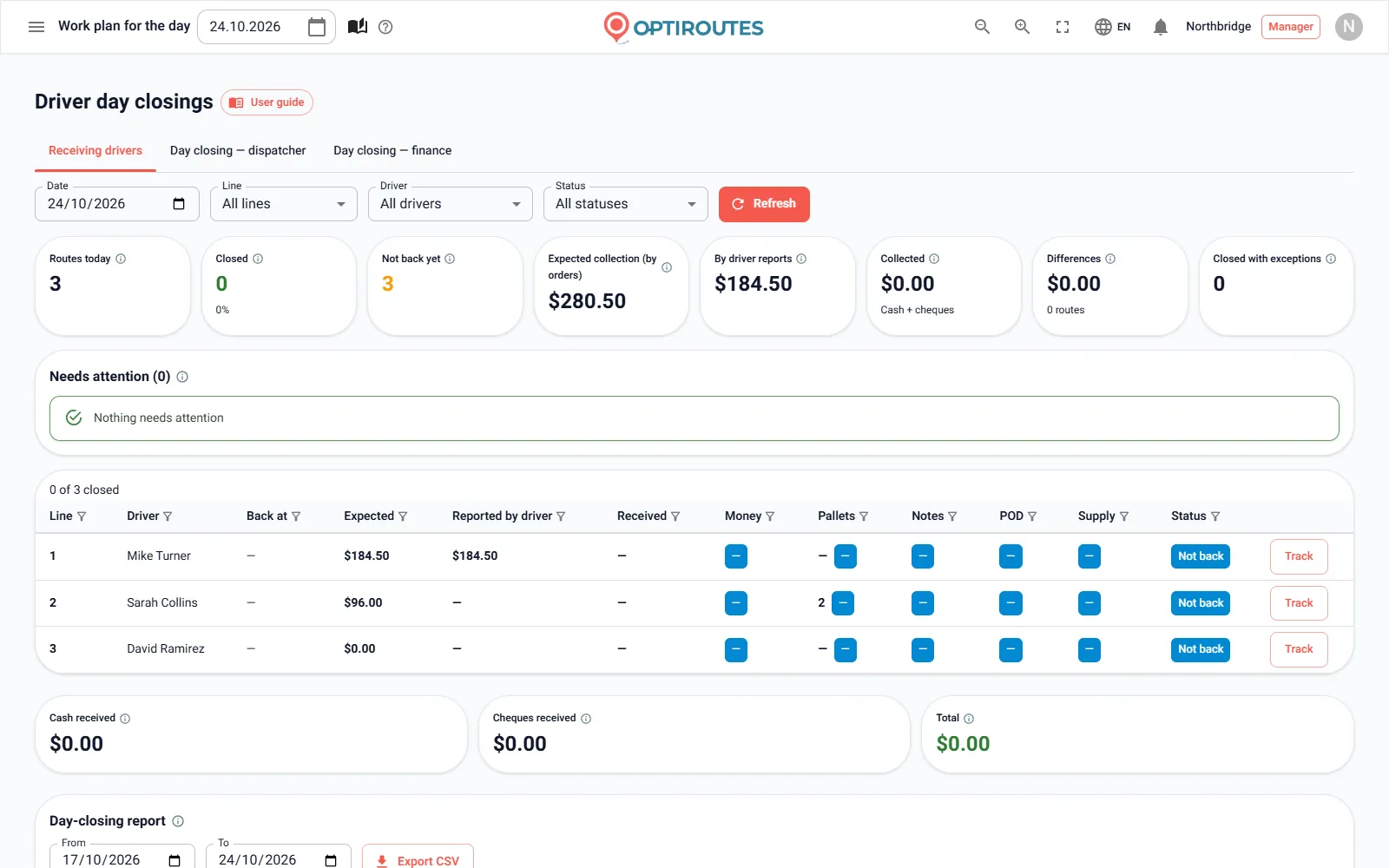
| Cash and cheques | Cash customers marked in the app; cash and cheques recorded per stop; cash desk with driver, dispatcher and finance day closings. |
| Regular lines | Fixed lines with a driver and vehicle; planning by the file’s lines, by delivery areas per weekday, or with Learning AI planning. |
| Imports and exports | Excel/CSV upload, automatic loading from FTP or SFTP, files API, export of closed routes, and a delivery reports address for another system. |
Which alternatives should a food distributor consider?
Three alternatives, described only from their own websites as checked on 24 October 2026. Check each site for current terms.
Track-POD
Track-POD describes itself as delivery management software with an electronic proof of delivery app, for small and mid-sized businesses, naming food and beverage, retail and wholesale among its industries. Its route planning page mentions delivery time windows, volume restrictions, work time, stop priorities and load limits by weight, volume and pallet count. Its driver app captures signatures and photos and offers a cash on delivery option. It offers a 7-day free trial with no payment card required. (track-pod.com/route-planning-software, checked 2026-10-24)
OptimoRoute
OptimoRoute's food delivery page addresses restaurants, produce delivery companies, meal kits, frozen meals and similar services, and its site has a retail distribution section for small and large fleets. It lists delivery time windows and zones, vehicle capacities and types, driver breaks, proof of delivery with digital signatures, photos, barcodes and notes, and a driver app for iOS and Android. It offers a free 30-day trial. (optimoroute.com/business-types/food-delivery, checked 2026-10-24)
Routific
Routific's food and beverage page addresses wholesale distributors, farm-to-table networks, grocers, breweries and bakeries. It mentions time windows per stop, a free driver app for iOS and Android, and proof of delivery by barcode, photo or signature; orders can be imported by spreadsheet or from a connected store. Its site states that the first 100 orders every month are free. (routific.com/food-and-beverage-delivery-route-optimization, checked 2026-10-24)
Which questions should you ask every vendor?
- Can a refrigerated vehicle be kept off routes it should not take, and can chilled and frozen orders be kept on separate pallets?
- How is a customer with two receiving windows, or a different window on Fridays, entered?
- What happens to the plan when ten late orders arrive after the routes were sent?
- Can the driver record cash and cheques, and how does the office close the money at the end of the day?
- Where do signed delivery notes go, and can they be found by date a month later?
- What does a month cost at our average volume, and in our busiest month?
Ask for the answer on your own data, not in a slide. A free trial is the fastest way to get it. Bring a difficult day: the Friday before a holiday, a day with a driver missing, or a morning when a large customer doubled its order. A planner that handles your worst normal day will handle the rest.
How do you test OptiRoutes on a food distribution day?
Fill the Vehicles tab with your real vehicle types and content types, set the pallet limits, and add your chain customers to the waiting times list. Upload one ordinary day of orders, plan it with Learning AI planning, and open the truck arrangement of a route you know well. The trial is free for 3 days with up to 50 addresses a day and needs no card; after the trial, pricing is $49 per line per month, less per line as you grow.
Plan one of your real days free.
3-day free trial · up to 50 addresses a day · no credit card
Frequently asked questions
Is OptiRoutes built for food distribution?
OptiRoutes serves delivery and distribution businesses in general, and includes features that food distributors use daily: time windows, content types, pallets and truck arrangement, rounds, signed delivery notes, returns and a cash desk.
Can OptiRoutes keep frozen and dry goods apart?
Yes. Vehicles carry a content type, and pallets can be divided by groups that never share a pallet. When orders carry a group description, chilled and frozen are separated by themselves.
Does OptiRoutes handle cash on delivery?
Yes. Cash customers are marked in the driver app, the driver records cash and cheques at the stop with a reason for any gap, and the cash desk closes each driver day.
How do I compare prices with per-driver tools?
OptiRoutes charges by lines — one route of one day — $49 per line per month, with volume pricing from 6 lines a day. Enter your lines a day in the calculator on the pricing page, add extra stops if lines are long, and compare with the per-driver total for every driver who works in the month.
Can orders come from our ERP automatically?
Yes. Orders can load by themselves from your business folder on the OptiRoutes file server, from your own FTP server, or through the files API.
Start free trial — 3 days, no card
3-day free trial · up to 50 addresses a day · no credit card