
Route planning for building materials distribution
OptiRoutes plans building materials deliveries around what actually limits them: the truck's weight and pallet places, truck travel times, long unloading stops at sites and yards, and customer hours. Each vehicle type has its own capacity and unloading type, and drivers close every drop with a signed delivery note and photos in the app.
Updated:
What does a planner's day look like at a building materials supplier?
A building materials route rarely has many stops, but every stop is heavy. Cement bags, blocks, tiles, timber, pipes and insulation travel on pallets or as long loads, and a single order can fill most of a truck. The planner's question is less "which order of stops is shortest" and more "which truck can carry this, and how many drops fit in its day".
Sites are not shops. A construction site may accept deliveries only in the morning, may need a crane or a forklift to unload, and may sit at the end of a road a large truck cannot use. Unloading takes a long time, and a truck that arrives too early waits. Merchants and DIY stores add their own receiving hours and ramp queues. Meanwhile contractors call to change quantities, to ask for the order to be split over two days, or to ask why the driver is not there yet.
After the drop, the delivery note matters: what was delivered, who signed for it on site, a photo of where the load was left, and any remark about damage or a shortage. These notes settle disputes weeks later, when the invoice is checked.
Which OptiRoutes features matter most for building materials?
- Truck as the travel mode. With "Truck" as the vehicle type for travel, travel times and allowed roads follow it: trucks have forbidden roads and lower speeds, so arrival times come out realistic.
- Weight, volume and pallet capacity per vehicle type. Planning never fills a vehicle beyond its capacity, and the route card marks red a route that exceeds the vehicle's amount or weight. A weight up to 1,000 counts as tons and a larger number as kilograms, so 12 and 12000 are the same 12-ton vehicle.
- Unloading types. A vehicle's unloading type — two doors, both sides or regular — changes the pallet arrangement so the first stops' pallets are near the opening you unload from.
- Equipment notes. Sensors, ramp and forklift are recorded per vehicle type for information and shown in the vehicle details on the routes screen; planning ignores them.
- Long stop times. A stop time per customer for long unloads, a time at each stop by default, and waiting times for customers known for queues.
- Large orders. In Learning AI planning, an order that fills almost a whole truck gets a truck of its own, and large orders are placed so the trucks are filled better.
- Time windows. Windows per customer and weekday; reordering can delay departure to save waiting, keep a stop that misses its window, or move it to the unassigned stops.
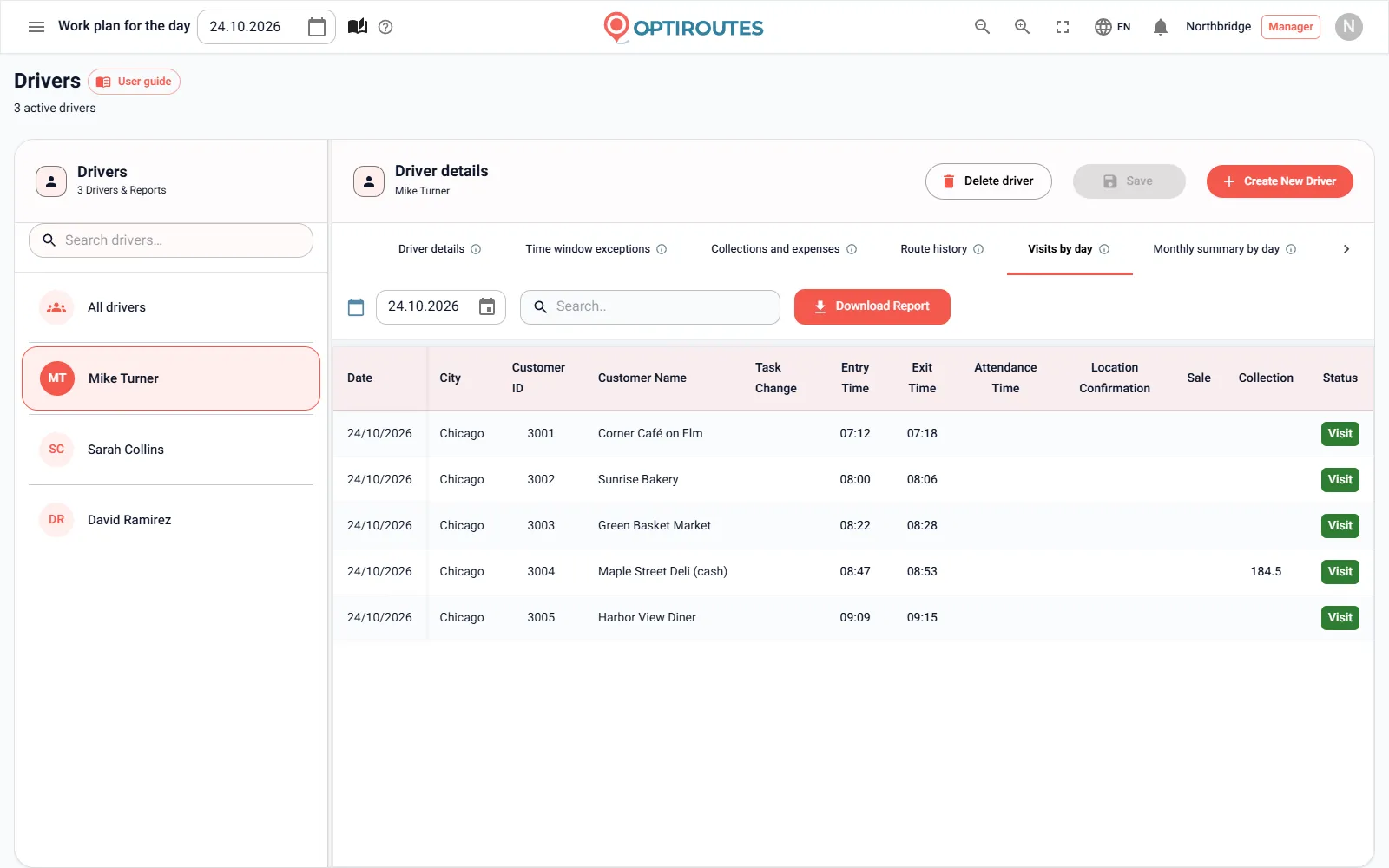
- Signed notes and photos. The customer signs the delivery note in the app with up to three photos, remarks and returns. A photo of the delivery note can be required per driver. See proof of delivery.
- Subcontractors. A driver can be linked to the contractor they work through; when lines are sent to subcontractors, each gets its drivers' routes by SMS.
How do you split an order that does not fit one truck?
On the routes screen, the route menu can split a route — with selected stops, exactly those move — divide it into several routes, or transfer stops to a new route. Orders themselves keep their quantity, weight, volume and pallets fields, editable in the unified customer window. To deliver part of an order on another day, change the delivery date of the selected deliveries with bulk edit on the orders screen, or move or copy closed routes to another date.
Route exceptions add your own red and orange limits per route: maximum and minimum weight, maximum amount, minimum pallets, maximum time, distance and stops. The weight is checked in tonnes, and a value over 100 is taken as kilograms and converted, so both 4500 and 4.5 work.
How do contractors and site managers know when the truck arrives?
Customer messages are set in the SMS tab. The message from the routes screen goes to every customer on the route with their own estimated arrival; the driver can also send a message from the app, and a message can go out to all the route's customers as soon as the driver starts the route. Templates can promise a range rather than an exact time — for example "between ^^ and @@", one hour before and after the estimate — which suits sites where unloading times vary.
If a driver skips a stop on their own and moves to a later one, an optional report sends a message to the managers' phones, so the office can warn the next site before the truck arrives early. Inside the office, real-time distribution shows each truck's route, the stops done and those still ahead.
Which KPIs should a building materials supplier track?
An illustrative example with fictional numbers for a supplier with 7 trucks. It shows what to measure and where; it is not a claim about any OptiRoutes customer.
| KPI | Where you see it in OptiRoutes | Illustrative week |
|---|---|---|
| Load per route against vehicle weight capacity | Route card capacity bars | 86% on average |
| Drops per route | Routes screen totals line | 6 |
| Stops reached late or early | Real-time distribution, "Not on time" filter | 5 |
| Deliveries with a remark | Signed notes e-mailed to the remarks address | 12 |
| Planned km per route | Routes screen and period review | 142 km |
How do you start?
Fill the Vehicles tab with your real vehicle types and their weight, volume and pallet places, choose "Truck" as the vehicle type for travel, and set a realistic time at each stop. Then plan one real day in the free trial — 3 days, up to 50 addresses a day, no card. Pricing after the trial is $49 per line per month, less per line as you grow.
Plan your trucks on a real day.
3-day free trial · up to 50 addresses a day · no credit card
Frequently asked questions
Does OptiRoutes plan by weight?
Yes. Each vehicle type has a weight capacity, planning never fills a vehicle beyond it, and route exceptions can add a maximum and minimum weight per route that colour the route card.
Can arrival times account for truck roads?
Choose "Truck" as the vehicle type for travel. Trucks have forbidden roads and lower speeds, so travel times and arrival times come out realistic.
Does OptiRoutes schedule cranes or forklifts?
No. Sensors, ramp and forklift can be noted per vehicle type for information and are shown in the vehicle details on the routes screen, but planning does not use them.
Can a site have a long unloading time?
Yes. Give the customer a stop time in its distribution details. It is used for the customer’s orders that have no stop time of their own, and it goes into arrival times and route length.
How is a supplier with few, heavy routes charged?
By lines: one route of one day, $49 per line per month, less per line as you grow, by the monthly average. A route with few stops costs the same as any other line, because only stops above the included number cost extra.
Start free trial — 3 days, no card
3-day free trial · up to 50 addresses a day · no credit card